$48.46
$61.06
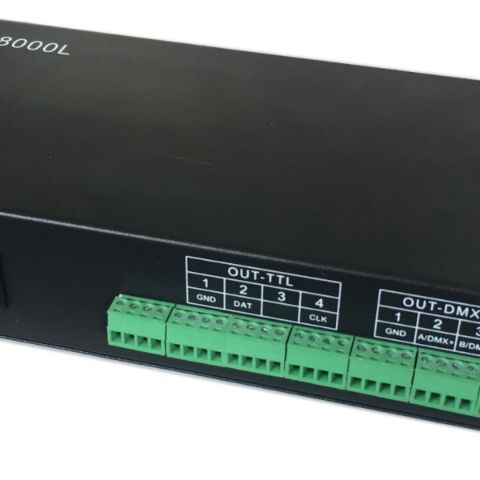
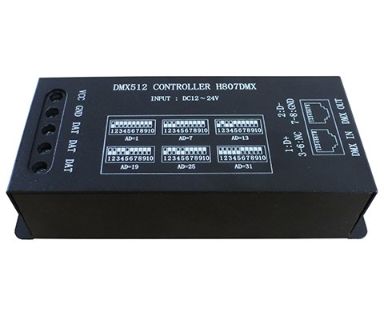
Features DMX Decorder DMX512 Console Controller Max 1024 Pixels LED Controller For WS2812 WS2813 UCS1903 SK6812 Pixel LED StripFeatures:1. H807DMX can only work with DMX512 console.2. Each port controls maximum 1024 pixels. Three ports output the same data.3. H807DMX occupies 13 DMX channels.4. Use dip switch to set starting DMX address for each device.H807DMX supports the following chips:TM1812, P943, P943S, P9411, P9412, P9883, TM1804, TM1809, UCS1903, UCS1909, UCS1912, WS2811, WS2812, WS2813, SM16703, SM16709, SM16712, INK1003, etc.Note:Before connecting H807DMX to DMX512 console, H807DMX plays the built-in effects.After connecting H807DMX to DMX512 console, H807DMX is controlled by MDX512 console.Product Display:  Working steps: Step 1. connect all devices togetherStep 2. Set starting DMX address for each H807DMX Switch up means 0, switch down means 1It's like binary, but the sequence is from right to left.For instance0010000000 is 1x2²=4, 4 is the starting DMX address.As mentioned above, H807DMX occupies 13 DMX channels, so you can use channel 4~16 on DMX512 console to create lighting effects0111000000 is 1x2¹ 1x2² 1x2³=14, 14 is the starting DMX address.So you can use channel 14~26 on DMX512 console to create lighting effects.In a word, if starting DMX address is 4, H807DMX occupies channel 4,5,6,7,8,9,10,11,12,13,14,15,16 on DMX512 console.If starting DMX address is 14, H807DMX occupies channel 14,15,16,17,18,19,20,21,22,23,24,25,26 on DMX512 console.You can connect multiple controllers to one DMX512 consoleDescription of the 13 channels1st channel: brightness2nd channel: foreground red3rd channel: foreground green4th channel: foreground blue5th channel: some built-in effectschannel value: 0~15: static effect            16~31: comet tail run forward            32~47: comet tail run backward            48~63: gradual change(foreground color changes to background color then changes to foreground color)             64~79: single line segment move             80~95: double line segments move (foreground color and background color)             96~111: double line segments run in opposite direction (foreground color and background color)            112~127: shuttle            128~143: fill in             144~159: spring            160~175: stars flash            176~255: static effects6th channel: change speedchannel value: 0~127: effects run in positive direction, from maximum speed to 1            128: effects stop running            129~255: effects run in negative direction, from 1 to maximum speed7th channel: divide all pixels into several groups, each group repeats same effect, minimum length is 2 pixelschannel value: 0~1: 2 pixels            2: 3 pixels            3~255: 4~256 pixels8th channel: resize the length of background or black spot9th channel: background red10th channel: background green11th channel: background blue12th channel: set flash or notchannel value: 0: not flash            1~255: flash speed turns from slow to fast13th channel: set how many pixels H807DMX supportschannel value: 0: 1024 pixels             1: 1020 pixels            2~255: 1016 to 4 pixels
Pixel Strip Controller